


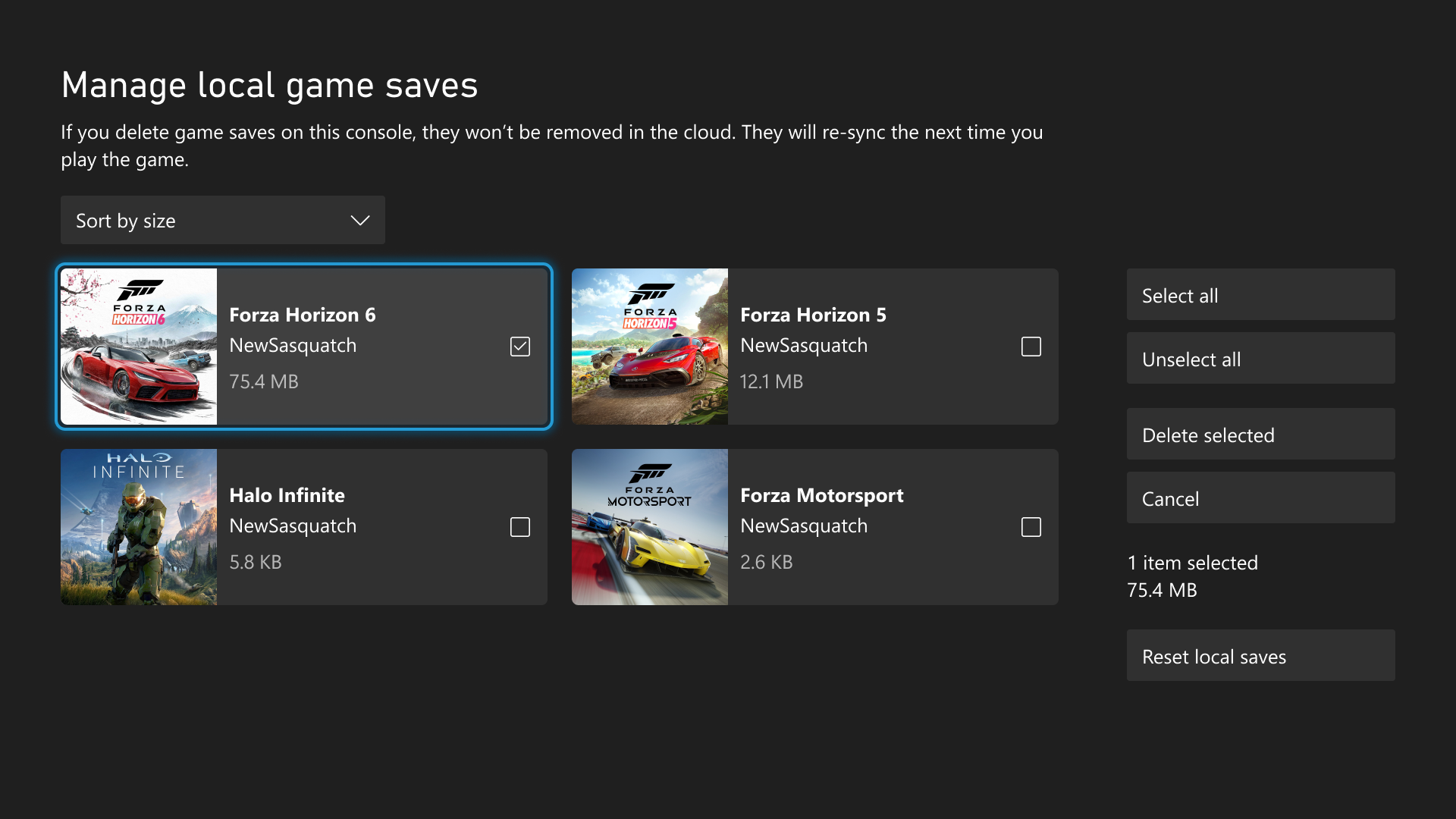
Xbox finally has a more useful answer for one of the ugliest console-storage problems: local saves filling up at the wrong moment. In the official Xbox Wire update published on Wednesday, August 19, 2026, Microsoft says Xbox players can now view, sort, and delete unused local game saves, either from Settings > System > Storage > Manage local game saves or directly from the low-space notification that appears when a new save cannot be created.
That is the part worth leading with. The same post also covers Home cleanup, badge details, a commemorative Xbox One Day One badge, and automatic wishlist cleanup after purchase. Those are fine quality-of-life extras. The local-save tool is the change that actually helps when the console gets in your way.
The save-management change is the real player-facing fix here
Xbox’s own framing makes the problem clear. Your latest saves are supposed to stay backed up to the Xbox network, but local storage can still fill up and block new progress from being written. Until now, the company says it has not always been easy to see which local saves were taking space or how to clear them cleanly.
That is why this update matters more than a routine dashboard tweak. Xbox is not just adding another settings tile. It is finally exposing a failure point that players usually notice only after something goes wrong.
The practical pitch is narrow, but that is fine. If you have ever hit the “not enough space to create a new game save” wall, a tool that lets you sort through unused local saves is more valuable than another cosmetic system flourish.
Home controls and background mode help, but they are not the main headline
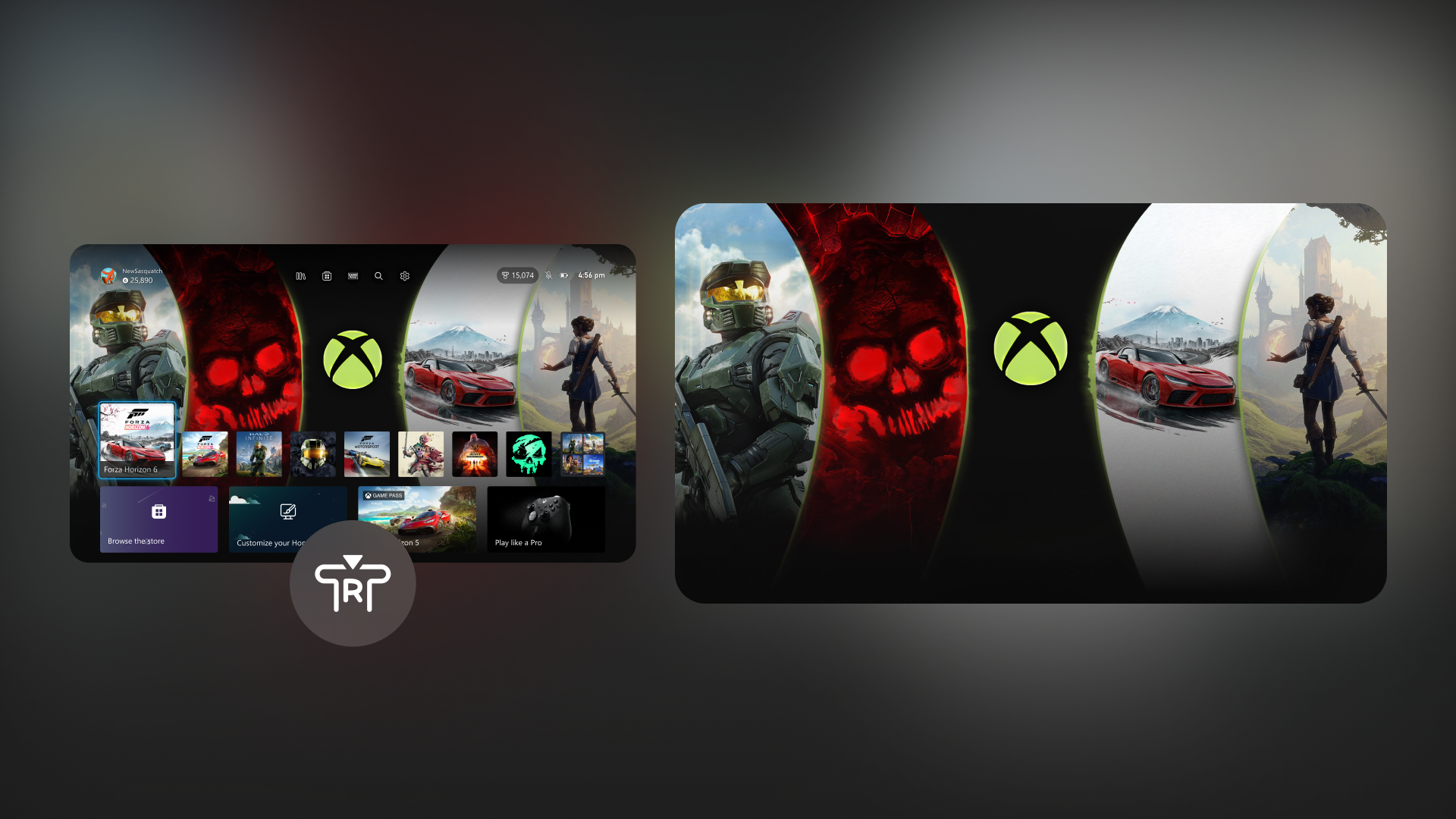
The same post adds two smaller Home-side changes. Xbox says players can now remove items from the Recent Games and Apps row with the Menu button, including the Play History tile. It also adds an immersive background mode that fades the Home UI away when you press the right thumbstick, letting a dynamic or custom background take over the screen until you press another button.
Those changes are easy to understand, and they will probably get some of the cleaner social-media clips because they are visual. They just do not solve a bigger problem than the storage tool does.
That difference matters for how this piece should be read. This is not really a “look, Xbox polished the dashboard again” story. It is a more useful platform-quality story about Microsoft finally surfacing a control that addresses a specific save-friction problem.
The rollout caveat matters more than the headline packaging
There is still one important restraint. Xbox says most features will first roll out to Alpha Skip-Ahead and Alpha members, while select updates are available to everyone starting today. That means the company is not presenting this as a clean full-public console release across every feature in the post.
That is the line GameGuideDog should keep visible. The update is real. The utility is real. But the scope is still partly Insider-first, and the official wording does not map every single feature to every ring with enough precision to flatten the caveat away.
So the honest player read is straightforward:
- The local-save management tool is the strongest reason to care.
- The Home cleanup changes are useful but secondary.
- The badge-detail view, the Day One commemorative badge, and wishlist auto-removal are real extras, not the core value.
- The overall package should still be described as an Insider rollout with select broader availability, not as a blanket update for every Xbox owner right now.
Badge details and wishlist cleanup round it out, but they should stay in the second half
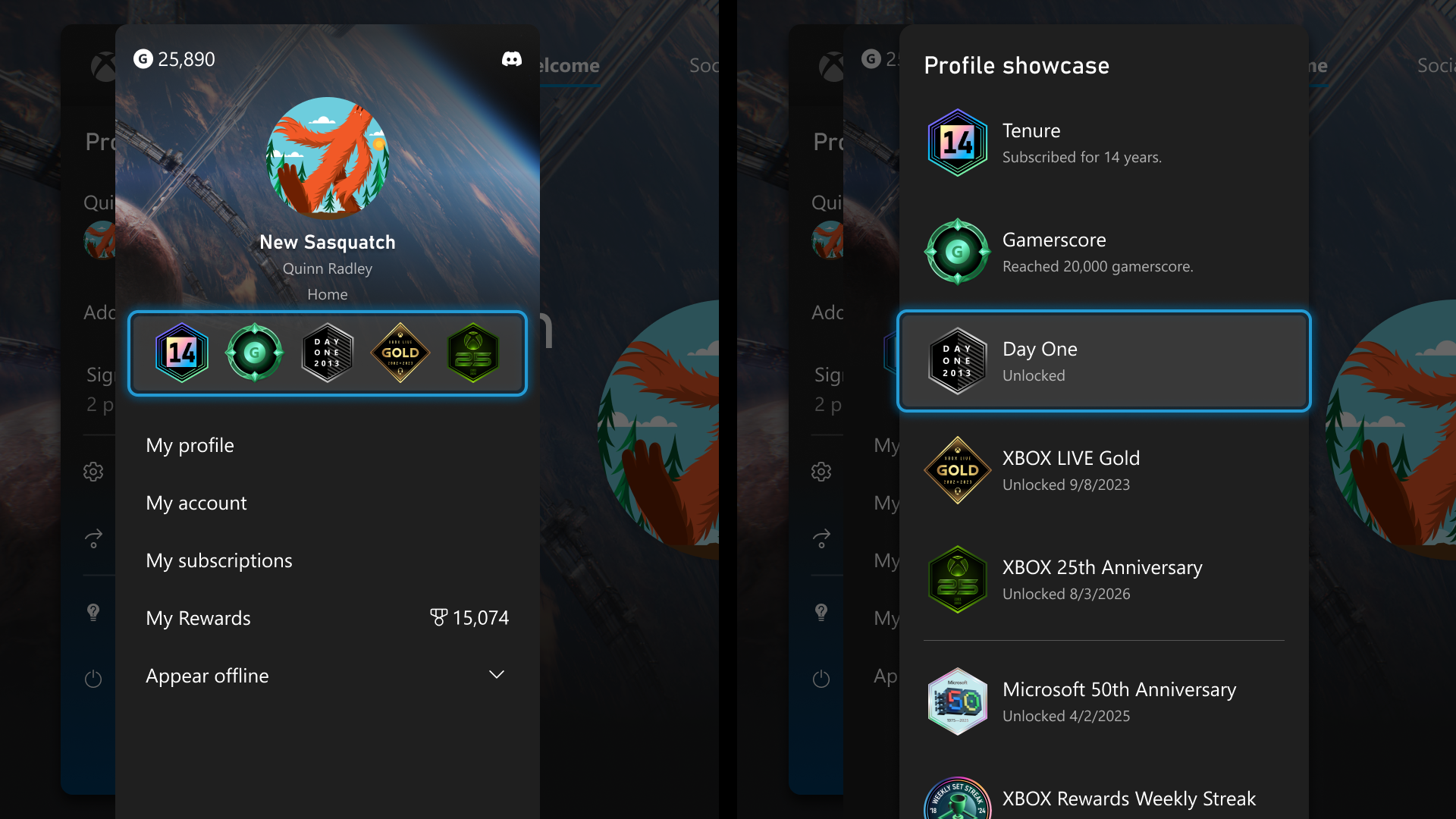
Xbox’s softer additions are still worth a line. Players can now inspect profile badges in more detail, including the artwork and the context behind how each badge was earned. The company is also issuing a commemorative Day One profile badge to players who unlocked the original November 22, 2013 Xbox One Day One achievement.
The wishlist change is the most practical of the smaller extras: purchased games now automatically fall off your wishlist instead of lingering there until you clean them out yourself.
Useful? Yes. Bigger than the save tool? No.
The honest read for GameGuideDog
Xbox’s August 19 Insider update matters because it turns a common storage headache into a visible user control. The rest of the package is real, but it is packaging. The sharper takeaway is that Microsoft finally built a cleaner route for handling unused local saves without pretending this is already a uniform public rollout across the whole console base.
That makes this a good analysis piece instead of a thin post rewrite. The practical value is not the marketing bundle. It is that Xbox found one of the more annoying “why is my console stopping me from saving?” moments and finally put a better tool in front of it.
For more GameGuideDog coverage, browse our hardware section, revisit our earlier Xbox console price hike analysis, compare it with our broader Xbox reset analysis, or open the latest English stories.